
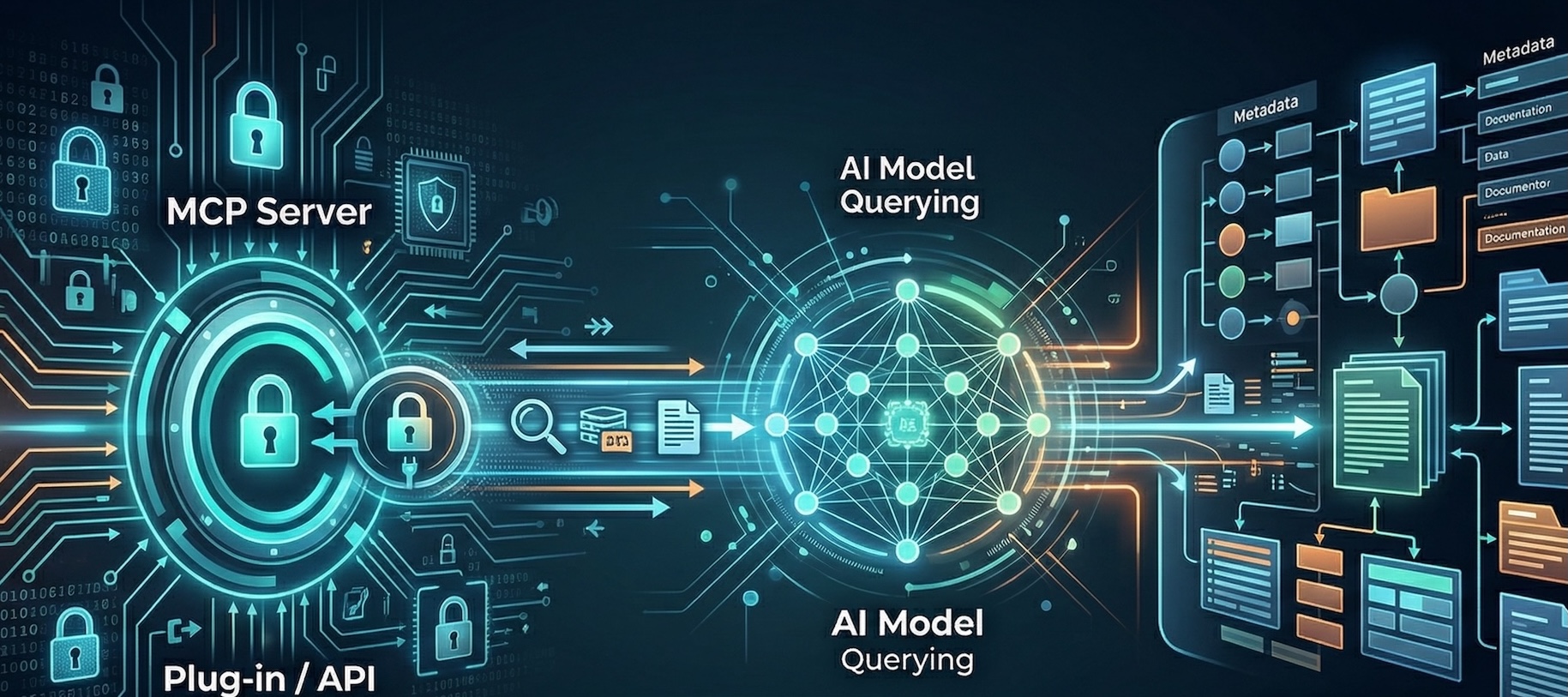


Your AI assistant just got a direct line to Anjuna's documentation.
Starting today, the Anjuna Docs portal exposes a Model Context Protocol (MCP) endpoint—a read-only interface that lets MCP-compatible clients like Claude, Cursor, and other AI development tools search the latest Anjuna documentation in real time, directly from your workflow.
No more switching tabs. No more copying snippets into a chat window. Your AI assistant can now pull up-to-date, version-accurate Anjuna docs on demand, right inside the tools you already use.
What Is MCP and Why Does It Matter?
Model Context Protocol (MCP) is an open standard that allows AI assistants to connect to external data sources as structured tools. When an MCP server is available, clients like Claude or Cursor can query it directly during a conversation or coding session—retrieving fresh, relevant content without requiring manual copy-paste.
For security and infrastructure teams working with Anjuna's confidential computing platform, this means getting accurate, version-matched documentation exactly when you need it, answers grounded in the latest published Anjuna docs rather than outdated training data, and no more browser context-switching or manual searching.
What's Available
The Anjuna Docs MCP endpoint is public and unauthenticated—just like the docs site itself. It exposes a single tool, search_docs, that queries the same Meilisearch index powering the docs site search. Results are always scoped to the latest published version of each product.
Supported product lines include Nitro (AWS Nitro Enclaves), SEV (AMD SEV-based confidential VMs), SGX (Intel SGX workloads), APM (Anjuna Policy Manager), and K8s-SEV (Kubernetes with confidential computing).
MCP clients can also fetch a short summary and canonical docs entry-point URL for each product via resource URIs in the format anjuna://docs/product/{product}—useful for grounding a conversation before diving into procedural searches.
How to Connect
Connecting your MCP client to Anjuna Docs takes under a minute. The endpoint uses Streamable HTTP transport, which is supported by modern MCP hosts.
MCP endpoint URL: https://docs.anjuna.io/mcp-docs
Claude (claude.ai or Claude Desktop)
In your Claude settings, navigate to Integrations → Add MCP Server. Select HTTP or Streamable HTTP as the transport type and enter the URL above. No authentication headers are required.
Cursor
In Cursor's MCP settings, add a new server entry with Streamable HTTP transport and set the base URL to https://docs.anjuna.io/mcp-docs. Once connected, Cursor can invoke search_docs automatically during coding sessions.
Other MCP Hosts
Any MCP-compatible client that supports Streamable HTTP transport can connect using the same URL. No API key or credentials are needed.
What This Looks Like in Practice
Once connected, you can ask your AI assistant things like:
— How do I add a persistent disk to my Nitro enclave?
— What are the prerequisites for running Anjuna SEV on Azure?
— My enclave is failing attestation on a new AWS instance type — what should I check?
For teams building deployment plans or runbooks, the MCP endpoint also powers an AI prompt template (plan_product_deployment_from_docs) that guides a model through repeated documentation searches to produce a phased, citation-backed deployment plan—far more reliable than asking a model to generate steps from memory.
Getting Started
The Anjuna Docs MCP endpoint is live today. Point your MCP client at https://docs.anjuna.io/mcp-docs and start querying.
If you're new to Anjuna's confidential computing platform, the best place to start is a free 30-day trial—no infrastructure changes required, and your existing workloads stay protected from day one.
Start your free trial at anjuna.io/anjuna-free-trial →


Try free for 30 days on AWS, Azure or Google Cloud, and experience the power of intrinsic cloud security.
Start Free